WhatsApp pastoral inbox
The pastoral inbox brings together the WhatsApp conversations that people start with the current church’s WhatsApp Business number. From here, the pastoral team reads and answers them while the 24-hour window is open.
Who can use it
- The Pastor, Associate Pastor, Campus Admin, and Secretary roles.
- A Campus Admin or Secretary assigned to a campus sees only conversations from members of that campus, plus senders who are not members or have no campus assigned.
- The church must have the Messaging module enabled, and that module must be allowed for your role.
Before you start
- Enter through the church admin panel (
/admin-church). - The church must have WhatsApp Business connected. See Connect WhatsApp Business.
- Each reply deducts credits from the church balance, the same balance used by AI Credits. See Credits and auto-recharge.
Open the inbox from /admin-church, not /liderazgo-local. The navigation item does not appear in the local leadership panel.
Steps
Open the pastoral inbox
In the sidebar, select Communications → Pastoral inbox. You can also go directly to /admin-church/messaging/inbox.
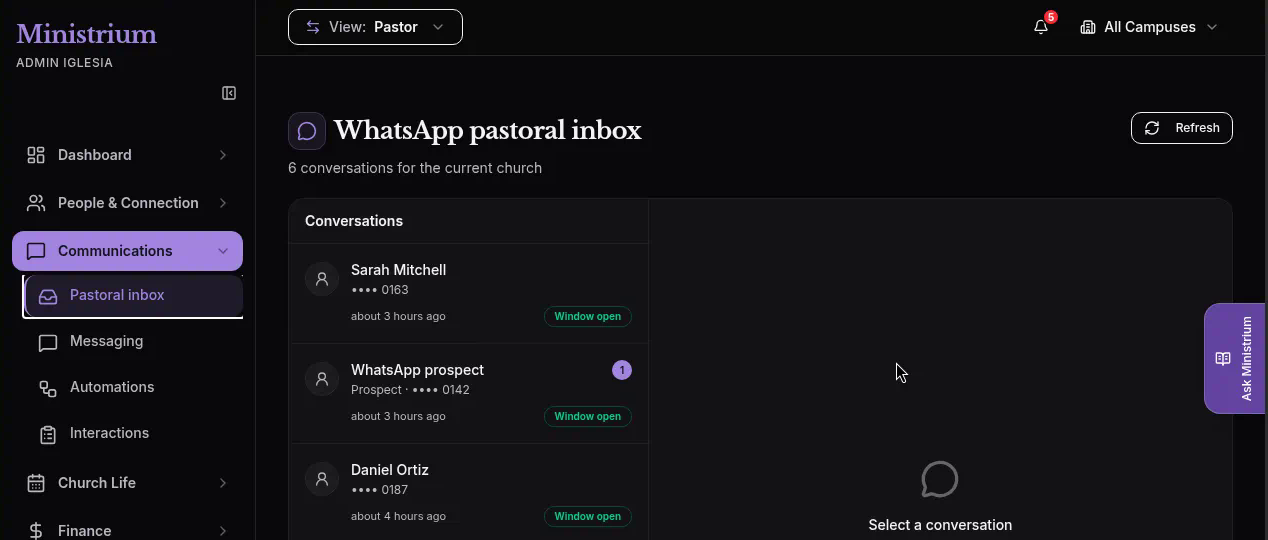
The page shows the title WhatsApp pastoral inbox, the conversation count (“N conversations for the current church”), and the Refresh button.
Review the conversation list
Conversations are sorted by most recent activity. The list refreshes on its own every 15 seconds; use Refresh to reload it right away. The inbox has no search or filters.
Each row shows:
- The member’s name or, when the sender is not a member, WhatsApp prospect.
- The phone number masked except for its last four digits (
••••plus the four digits). Prospects show Prospect · •••• plus the four digits. - How long ago the latest activity happened.
- A count of unread messages, if any.
- The status: Window open, Window closed, or Not contactable.
If there are no conversations yet, you will see No conversations. Incoming WhatsApp messages will appear in this list.
Open a thread
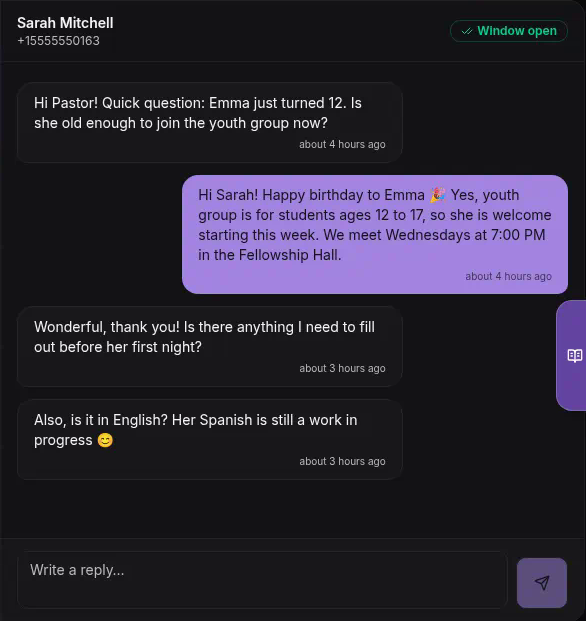
Select a conversation to view its history on the right. The thread header shows the name, the full phone number in E.164 format, and the window status.
Treat the full number as personal information and share it only with authorized people.
Reply while the window is open
With Window open, type in the reply field (placeholder “Write a reply…”). Then press the send button (paper-plane icon) or the Enter key. Use Shift + Enter for a line break. Each reply can be up to 4,096 characters.
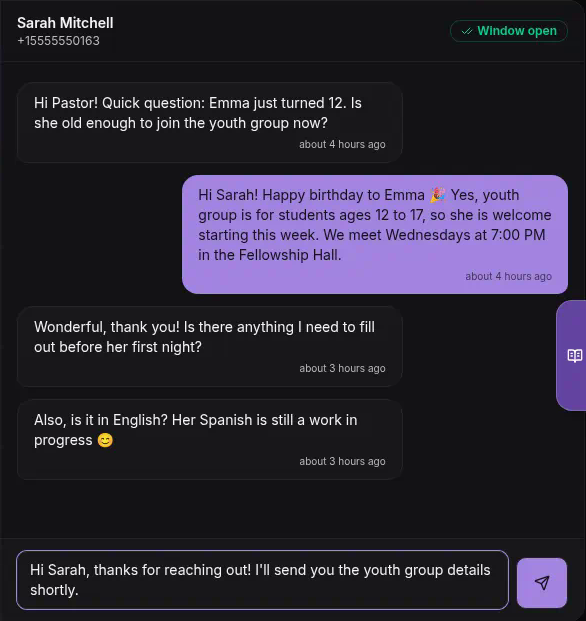
The reply appears in the thread and deducts credits from the church balance.
If you cannot reply
If the window is closed or the contact is not contactable, the reply field is disabled (“Replies are not available right now”). The Reply unavailable notice also appears with the reason. See the status table.
Inbox statuses
| What you see | What it means | What to do |
|---|---|---|
| Window open | The person wrote within the last 24 hours. | Reply from the thread. |
| Window closed and Reply unavailable: “The 24-hour window is closed. Wait for a new incoming message before replying.” | More than 24 hours have passed since the person’s last message. | Wait for the person to write again; that opens another 24-hour window. |
| Not contactable and Reply unavailable: “This contact asked to stop messages or is not authorized to receive WhatsApp messages.” | The person sent an opt-out keyword (for example, STOP or BAJA), has WhatsApp turned off, or is a disabled prospect. | You cannot reply from the inbox. Respect the opt-out. |
| ”The church does not have enough credits to send this reply.” (after trying to send) | The church balance does not cover the reply. | An organization admin can use the Manage credits link to buy credits. |
The WhatsApp Co-Pilot lets authorized users query data and perform actions with the assistant. Its messages do not create inbox conversations, and Messaging campaigns do not either. The pastoral inbox is where staff handle conversations that people start on WhatsApp.